


If your firm is still building demand letters from static templates, you are solving half the problem.
Templates gave plaintiff attorneys a structural foundation. Every section is defined. Every field is labeled. Your team knew what went where. But the work of populating each section, reviewing hundreds of pages of medical records, calculating damages from multiple sources, assembling and Bates-numbering the exhibit packet, stayed entirely manual.
AI demand letter templates change that. Same structure. Same attorney-approved format. But instead of your team filling in the blanks, the AI reads your uploaded case files and builds each section automatically.
This guide explains how AI demand letter templates work, what they produce compared to static templates, and how personal injury firms are using them to cut production time without sacrificing output quality.
KEY TAKEAWAYS
- AI demand letter templates combine the structural consistency of a traditional template with automated content generation from your actual uploaded case files
- Every section of the demand letter is populated from your documents the attorney reviews and approves the output rather than drafting each section manually
- AI templates eliminate the manual population gap that static templates leave open while maintaining attorney oversight at every stage
- The output quality of an AI-generated demand letter depends on the quality and completeness of the documents uploaded
- Fast Demands AI generates complete, structured demand letters from uploaded case files in minutes, with a 7-day free trial available
What Are AI Demand Letter Templates?
A static demand letter template is a structured document with defined sections and blank fields. Your team fills in the facts, the medical findings, the damages, and the exhibit references. The template tells you what goes where. Your team does the rest.
An AI demand letter template works from the same structural framework but replaces the manual population step. Upload your case files, police report, medical records, bills, wage documentation and the AI reads every document, extracts the relevant facts, injuries, damages, and evidence, and populates each section automatically.
The structure stays consistent. The attorney-approved format stays intact. What changes is who does the work of building the content inside each section.
For personal injury firms, that shift is the difference between a process that takes three to five hours per demand and one that takes under an hour from upload to attorney sign-off.
How AI Demand Letter Templates Work in Practice
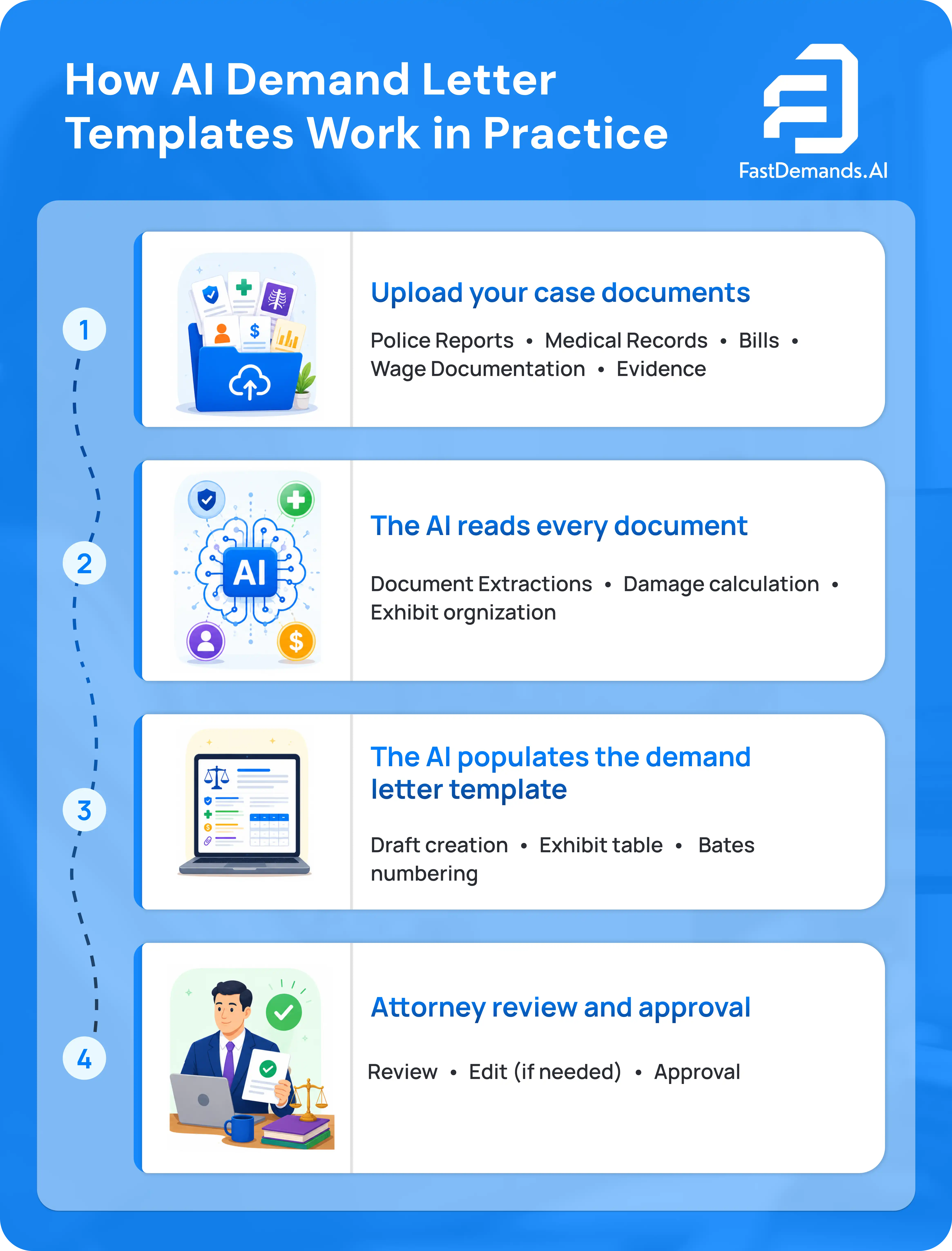
The workflow is straightforward. Here is how it looks on an active personal injury case.
Step 1: Upload your case documents
Upload the police report, medical records, diagnostic imaging reports, physical therapy records, bills, and wage documentation to the platform. The quality and completeness of your uploaded documents determines the quality of the output.
Step 2: The AI reads every document
Fast Demands AI processes every uploaded file. It identifies the incident narrative from the police report, extracts clinical findings from the medical records, calculates economic damages from the bills and wage records, and organizes supporting evidence into a numbered exhibit reference list.
Step 3: The AI populates the demand letter template
Each section of the demand letter is populated from the content of your uploaded documents:
- The liability section draws directly from the police report and incident documentation
- The injury section draws from the medical records using the precise clinical terminology in the records
- The damages section calculates and organizes economic and non-economic damages from bills, wage records, and treatment documentation
- The exhibit table and Bates-numbered exhibit packet are compiled automatically
Step 4: Attorney review and approval
Your attorney reviews the complete AI-generated demand letter, makes any adjustments, and approves before it is sent. The production workload shifts from drafting to reviewing. That is significantly faster and maintains full attorney responsibility for every document that leaves the firm.
AI Demand Letter Templates vs. Static Templates
The structural output is similar. The production process is fundamentally different.
The attorney remains responsible for the final document in both processes. What changes is where the production time goes.
What AI Demand Letter Templates Produce: Section by Section
Here is what a Fast Demands AI-generated demand letter includes across each section, and what the AI draws from to build it.
Introduction
Built from your case intake information. Identifies the attorney, the client, the incident date, and the legal basis for the claim. Addressed directly to the assigned adjuster by name.
Facts and Liability
Built from the police report, incident reports, and witness statements you upload. Presents the liability narrative in specific, evidence-backed language tied to attached exhibit references.
Injury Documentation
Built from your uploaded medical records. Uses the precise clinical terminology from the records. Covers the initial diagnosis, all treating providers, imaging findings, physical therapy records, specialist referrals, and any permanent or ongoing conditions.
Damages
Built from uploaded bills, wage records, and treatment documentation. Economic damages are itemized by category. Non-economic damages are structured based on the documented injury severity.
Demand to Settle
States the total settlement figure and sets a firm response deadline. Built from the total documented losses presented in the damages section.
Exhibit Table and Exhibit Packet
Every referenced document listed in a numbered exhibit table. All exhibits compiled into a Bates-numbered packet accompanying the demand letter.
Why Output Quality Depends on What You Upload
AI demand letter templates generate output from the documents you provide.
The relationship is direct: complete, well-organized uploads produce complete, well-organized demand letters. Incomplete documentation produces incomplete output.
Three practices consistently improve AI demand letter quality:
Upload complete medical records, not summaries.
The AI uses the clinical language from the actual records. Summaries omit the diagnostic specificity that makes injury narratives harder for adjusters to minimize.
Include all treating provider records.
Every provider in the treatment timeline should be represented in the uploaded documentation. Gaps in the medical record narrative give adjusters grounds to argue the injuries were not as serious or extensive as claimed.
Upload wage documentation alongside medical records.
Lost wages and loss of earning capacity require verification from employment records and pay stubs. Without those documents, the damages calculation will be incomplete.
The attorney review step catches anything the upload missed. But the closer the documentation is to complete at the upload stage, the less revision the attorney has to do.
Where AI Demand Letter Templates Fit in Your Firm's Workflow

AI demand letter templates are not a replacement for attorney judgment. They are a production tool that handles the documentation work so attorney time can go toward strategy, negotiation, and client communication.
The production workflow with AI demand letter templates looks like this:
- Case is signed. Documents are uploaded to Fast Demands AI.
- AI generates the complete demand letter from uploaded documents.
- The attorney reviews the output, adjusts if needed, and approves.
- Demand is sent.
Your attorney's role in the production process shifts from drafting and assembling to reviewing and approving. That shift is where the time savings come from. And because the attorney reviews and approves every output, professional responsibility standards are maintained throughout.
For firms handling high volumes of auto accident, slip and fall, or premises liability cases, that production shift compounds significantly across the monthly caseload.
Frequently Asked Questions About AI Demand Letter Templates
Generate AI Demand Letters From Your Case Files With Fast Demands AI
AI demand letter templates give your firm the structural consistency of a traditional template with the production speed of automated content generation. Every section built from your actual documents. Every output reviewed and approved by your attorney before it is sent.
Fast Demands AI generates complete, structured demand letters from your uploaded case files in minutes. Every section covered in this guide is built automatically.
Start your 7-day free trial and generate your first demand letter today.


